Online or onsite, instructor-led live Graphic Design training courses demonstrate through interactive hands-on practice the fundamentals and advanced topics of Graphic Design.
Graphic Design training is available as "online live training" or "onsite live training". Online live training (aka "remote live training") is carried out by way of an interactive, remote desktop. Onsite live Graphic Design trainings in Ontario can be carried out locally on customer premises or in NobleProg corporate training centers.
NobleProg -- Your Local Training Provider
London - London City Centre
380 Wellington Street, London, Canada, N6A 5B5
The centre occupies the 6th floor of City Centre Building a conveniently-located corner complex in downtown London, Ontario.

West Toronto - Etobicoke
10 Four Seasons Place, Toronto, Canada, M9B 6H7
Etobicoke is a prestigious area located on the western fringe of Toronto, and is the cushion between Toronto and Mississauga. Easily accessible by public transportation (bus) and is 5 minutes from the local subway station.
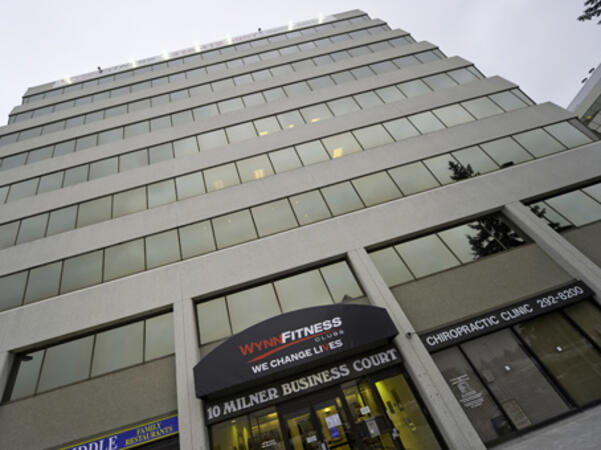
Scarborough – 10 Milner Business Court
10 Milner Business Court, Scarborough, Canada, M1B 3C6

The Milner Court Centre occupies the third floor of a corner property. It is easily accessible by public transport, both by bus and the rapid transit system.
Oakville - Winston Park
2010 Winston Park Drive, Oakville, Canada, L6H 5R7
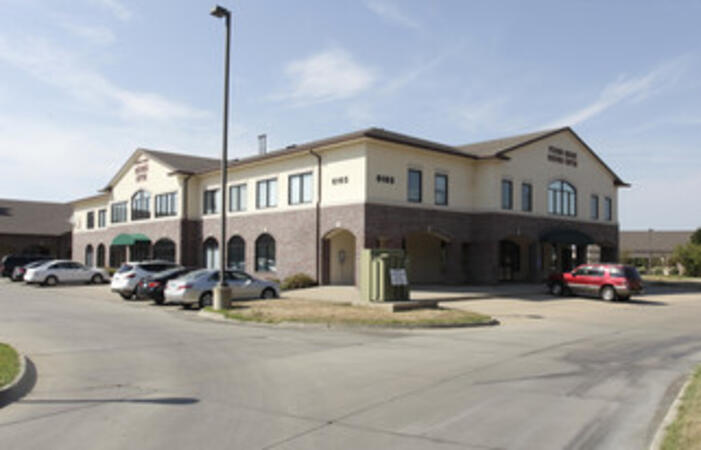
The Winston Park centre is located close to both the Queen Elizabeth Way and Ontario 403 giving easy access for Burlington and Hamilton to the west and Mississauga and Toronto to the East.
Barrie - 49 High Street
49 High Street, Barrie, Canada, L4N 5J4

Balance work and leisure from our office space at 49 High Street. Barrie has a bustling commercial heart and enjoys great connectivity – our central office space is just a few minutes’ drive from Highway 400
Maximise opportunities in this forward-thinking city, a knowledge center home to several tech giants. Our well-connected 180 Northfield Drive West centre is on the city's Corporate Campus near the prestigious University of Waterloo.
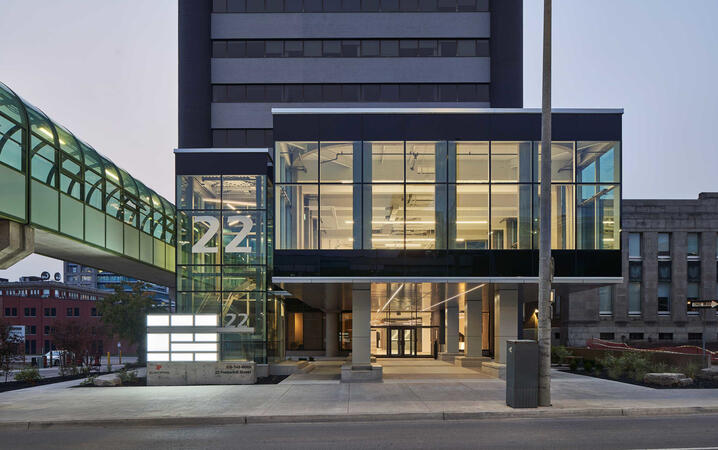
Kitchener - 22 Frederick Street
22 Frederick Street, Kitchener, canada, N2H 6M6
Prominent office space in downtown location
Establish your business in the heart of downtown Kitchener. Work alongside leading finance and insurance companies at our 22 Frederick Street offices on the corner of Frederick Street, giving you easy access to local amenities.
Brampton - 2 County Court
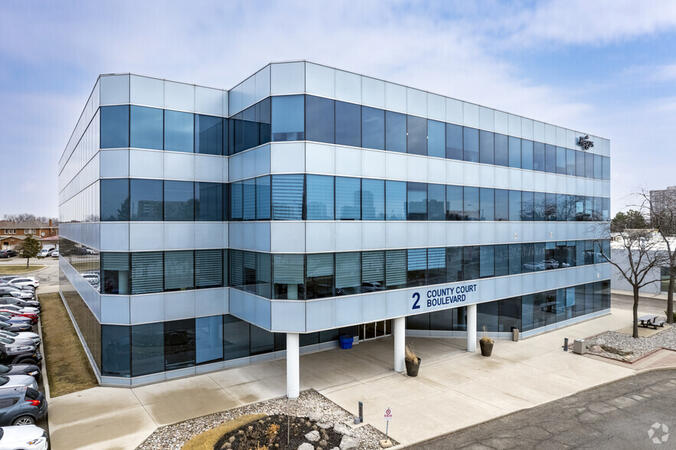
2 County Court Boulevard, Brampton, Canada, L6W 3W8

Look to the future with an office space at 2 County Court, a building with outstanding sustainability credentials. The third largest city in Greater Toronto enjoys great transport links, while Toronto’s international airport is under 10 miles away.
Richmond Hill - The Business Exchange
9225 Leslie Street, Richmond Hill, Canada, L4B 3H6

Place your business in the peaceful surroundings of Richmond Hill, home to leading global brands. Located in the northern suburbs, our The Business Exchange workspace is just a 30-minute drive from central Toronto and the International Airport.
Ottawa - Albert & Metcalfe
116 Albert Street, Ottawa, Canada, K1P 5G3

Across the street from the World Exchange Plaza. The Ottawa Shaw Centre and CF Rideau Centre shopping mall 10 minutes away.
Barrie-49 High Street
3rd floor, Dunlop Street West, Barrie, Canada, L4N 1A8
A Perfect Balance of Work and Leisure by Lake Simcoe
Combine productivity with relaxation in our office space at 49 High Street. Located in the vibrant commercial center of Barrie, this office offers excellent connectivity, with Highway 400 just a short drive away.
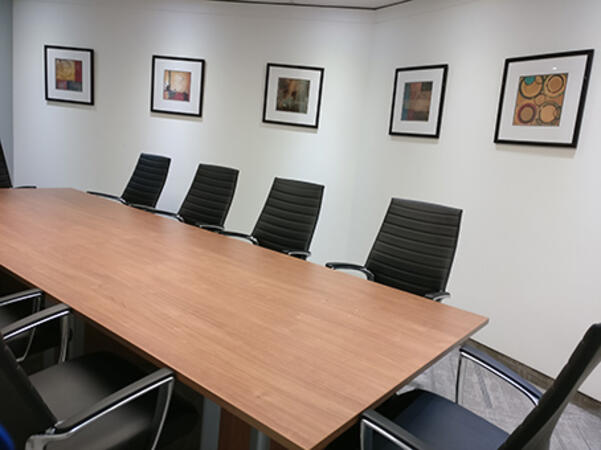
Work efficiently in a modern brick building featuring a glass-fronted entrance, beautifully designed workspaces, and curated artwork in every meeting room. After a productive day, enjoy the nearby restaurants or take a leisurely walk to Heritage Park by the waterfront for some fresh air and relaxation.
Toronto - Toronto Street
36 Toronto Street, Toronto, Canada, M5C 2C5

Steps away from Toronto's prestigious financial core. Fast link to Pearson International Airport - less than 30 minutes away.
Ottawa - 343 Preston
343 Preston Street, Ottawa, Canada, K1S 1N4

On the top floor of a distinctive office tower that's highly visible from Highway 417, you will find Regus 343 Preston Centre in Ottawa. Only a 10 minute drive from downtown Ottawa, a short stroll away from Downs Lake, and located near the lively intersection of Preston Gladstone in Little Italy.
Mississauga - Airways
5925 Airport Road, Mississauga, Canada, L4V 1W1
Airways is a beautiful center located at 5925 Airport Road, directly across from Toronto Pearson International Airport offering shuttle services. Adjacent to Highways 409 and 427, our center is easily accessible.
Adobe Marketo Engage is a powerful platform for marketing automation and CRM integration that enables organizations to design, automate, and measure personalized marketing campaigns across channels. This course equips participants with the knowledge and hands-on skills to build intelligent workflows, segment audiences, leverage AI-driven personalization, and analyze campaign performance effectively.
This instructor-led, live training (online or onsite) is aimed at beginner-level to intermediate-level participants who wish to strengthen their competencies in using Adobe Marketo Engage to plan, execute, and optimize omnichannel marketing campaigns for academic and commercial purposes.
By the end of this training, participants will be able to:
Navigate the Marketo Engage interface and understand its core automation functions.
Design and implement lead nurturing workflows and dynamic content campaigns.
Segment and manage audiences using smart lists and AI-driven insights.
Integrate CRM systems for seamless data synchronization and tracking.
Analyze performance metrics and apply optimization techniques based on campaign data.
Develop an end-to-end automated marketing project relevant to higher education.
Format of the Course
Theoretical presentation with real-world examples.
Hands-on demonstrations in a controlled lab environment.
Interactive exercises and a practical workshop project.
Final evaluation through presentation of a functional automated campaign.
Course Customization Options
To request a customized training for this course, please contact us to arrange.
Adobe Creative Cloud is a comprehensive suite of industry-standard tools for creative professionals, enabling high-quality design, multimedia production, and collaboration. This course provides faculty members with hands-on experience using Adobe’s core applications to design academic and institutional materials, enhancing creativity, innovation, and communication in the teaching–learning process.
This instructor-led, live training (online or onsite) is aimed at beginner-level to intermediate-level participants who wish to develop digital competencies in graphic design, multimedia editing, and academic content creation using Adobe Creative Cloud tools.
By the end of this training, participants will be able to:
Navigate the Adobe Creative Cloud ecosystem and manage files through the cloud.
Design and edit professional visual materials using Photoshop, Illustrator, and InDesign.
Create engaging video and motion graphics content with Premiere Pro and After Effects.
Produce and secure PDF documents using Adobe Acrobat Pro DC.
Leverage Adobe Express and Firefly for generative AI design and digital marketing assets.
Integrate Adobe tools to develop institutional and academic multimedia projects.
Format of the Course
Project-based learning with hands-on exercises.
Guided demonstrations using official Adobe software.
Practical assignments, partial evaluations, and a final integrative project.
Course Customization Options
To request a customized training for this course, please contact us to arrange.
Adobe Hyvä is a modern frontend framework for Magento 2 that replaces the Luma stack with a performance-focused, developer-friendly architecture.
This instructor-led, live training (online or onsite) is aimed at intermediate-level to advanced-level Magento developers who wish to implement and customize Hyvä Themes in Adobe Commerce (Magento 2) projects.
By the end of this training, participants will be able to:
Understand the architecture and benefits of Hyvä Themes.
Install and configure a Hyvä-based Magento 2 store.
Customize templates, styles, and layout using Alpine.js and Tailwind CSS.
Integrate third-party modules and ensure compatibility with Hyvä.
Optimize performance and user experience with Hyvä's lean frontend stack.
Format of the Course
Interactive lecture and discussion
Hands-on exercises and labs
Live development environment implementation
Course Customization Options
To request a customized training for this course, please contact us to arrange.
Adobe Express is a user-friendly, cloud-based design tool that enables individuals and teams to quickly create high-quality graphics, videos, and branded content without advanced design experience.
This instructor-led, live training (online or onsite) is aimed at beginner-level users who wish to create visually appealing marketing assets, presentations, and social media content using Adobe Express.
By the end of this training, participants will be able to:
Navigate the Adobe Express interface and use templates effectively.
Create social media graphics, flyers, presentations, and short videos.
Apply branding elements such as colors, logos, and fonts consistently.
Collaborate and publish designs using Adobe Express's cloud features.
Format of the Course
Interactive lecture and discussion.
Lots of exercises and practice.
Hands-on implementation in a live-lab environment.
Course Customization Options
To request a customized training for this course, please contact us to arrange.
This instructor-led, live training in Ontario (online or onsite) is aimed at beginner-level to intermediate-level professionals who wish to optimize their document workflows using Adobe Acrobat and AI-powered tools.
By the end of this training, participants will be able to:
Create and edit PDF documents from various sources.
Modify PDF content, including text, images, and formatting.
Use annotation and markup tools for document review.
Implement security features to protect PDF documents.
Leverage AI-powered tools to automate PDF-related tasks.
This instructor-led, live training in Ontario (online or onsite) is aimed at beginner-level to intermediate-level graphic designers and animators who wish to learn how to create stunning animations, interactive media, and engaging web content using Adobe Animate.
By the end of this training, participants will be able to:
Navigate the Adobe Animate interface and tools.
Create and edit animations using keyframes, motion tweens, and shape tweens.
Design interactive animations and applications with ActionScript and JavaScript.
Incorporate audio and video elements into projects.
Export animations for web, video, and mobile platforms.
This instructor-led, live training in Ontario (online or onsite) is aimed at beginner-level content developers who wish to have a foundational understanding of Adobe After Effects, Adobe Premiere Pro, Adobe Illustrator, Adobe Animate, and Adobe Character Animator.
By the end of this training, participants will be able to:
Understand the core functions of each software tool in the Adobe Creative Suite.
Use tools and techniques in Adobe After Effects for motion graphics, Adobe Premiere Pro for video editing, Adobe Illustrator for graphic design, Adobe Animate for animations, and Adobe Character Animator for character animation.
Improve creative design and production capabilities, enabling faster and more efficient development of high-quality digital content.
This instructor-led, live training in Ontario (online or onsite) is aimed at beginner-level and intermediate-level photographers who wish to harness the full potential of Darktable for their image editing and management needs. This course outline provides a comprehensive overview of the Darktable software, starting from the basics and progressing to more advanced editing techniques.
By the end of this training, participants will be able to:
Set up a development environment with Darktable.
Import, organize, and manage their photo collections.
Edit and enhance images using Darktable's features.
Perform advanced color correction and manipulation.
This instructor-led, live training in Ontario (online or onsite) is aimed at beginner-level to advanced-level engineers and drafters who wish to use GD&T to create precise and standardized 2D drawings for engineering projects.
By the end of this training, participants will be able to:
Understand and apply GD&T symbols and concepts to 2D drawings.
Create clear and standardized technical drawings using GD&T principles.
Interpret and implement feedback based on GD&T annotations.
Collaborate effectively with teams using standardized GD&T notations.
This instructor-led, live training in (online or onsite) is aimed at beginner-level to intermediate-level photo enthusiasts and graphic designers who wish to use Adobe Photoshop Elements to edit and enhance their photos.
By the end of this training, participants will be able to:
Edit and enhance their photos with various tools and functions.
Organize and manage their photo collections with the organizer.
Create and share photo projects such as slideshows, collages, and calendars.
Apply artistic effects and filters to their photos.
Perform basic and advanced photo retouching techniques.
Adobe Acrobat Reader for most of us is a program to play PDF files.
But, this application also allows you to submit PDF documents according to our needs and to replace other documents created in popular programs such as Microsoft Office, Word, Excel, Power Point is on this format.
Training Creating PDF documents is addressed to people who want to learn the secrets of the composition of PDF documents
Adobe After Effects Essentials is a 2 day training course which covers all of the basic skills needed to get up and running
with Adobe After Effects. During the course you will learn to work with layers in After Effects, understand key framing,
control animations, work transparency, and better understand rendering and output. By the end of the course you will
be able to competently edit your video content using After Effects and applying best practice techniques.
The Adobe After Effects Essentials course covers all the basic skills needed in the post production of professional quality
video content.
Experienced graphic and media designers who are already comfortable with core Adobe tools and want to strengthen advanced workflows, corporate report design, infographic creation, branding systems, and AI-assisted production.
Format of Training
Instructor-led sessions with structured explanations
Demonstrations followed by guided hands-on exercises
Practical work based on real corporate design scenarios
Individual and group feedback during exercises and project work
Course Objectives
By the end of this training course, participants will be able to:
Use advanced Adobe Creative Cloud features to work more efficiently across tools
Apply AI-powered capabilities in Photoshop, Illustrator, and InDesign to accelerate design tasks
Create high-quality visual assets for corporate reports and presentations
Design professional infographics aligned with brand and communication standards
Build consistent branding and layout systems across multiple deliverables
Automate report layouts and publishing workflows using InDesign
Apply AI responsibly while maintaining visual consistency and brand control
This instructor-led, live training in Ontario (online or onsite) is aimed at graphic designers and illustrators who wish to use the advanced tools in Adobe Illustrator to create professional and high-quality vector artwork, illustrations, and graphic designs.
By the end of this training, participants will be able to:
Learn more about the new and advanced features in Adobe Illustrator.
Know the tips and tricks on how to use the advanced Illustrator tools.
Redraw hand sketches into digital images.
Create professional grade graphics, logos, and animated GIFs.
This instructor-led, live training in Ontario (online or onsite) is aimed at advanced-level creative professionals who wish to use Adobe Creative Cloud to produce advanced branded graphics, professional video content, motion assets, and integrated digital media deliverables.
By the end of this training, participants will be able to: create advanced visual assets, edit and finish professional video, build motion graphics, and streamline workflows across Adobe applications.
This instructor-led, live training in Ontario (online or onsite) is aimed at intermediate-level creative professionals who wish to use Adobe Creative Cloud to create workplace-ready graphics, video content, and digital media assets.
By the end of this training, participants will be able to: create branded assets, edit professional video, produce basic motion graphics, and work more efficiently across Adobe applications.
The training provides practical knowledge on how to create an interactive eLearning platform. In addition to learning the basic concepts, students will also learn best practices for creating and publishing Captive projects . During the training you will learn:
Recording demonstration
Edit demonstration
Working with objects in the Timeline
Working with images
Publish your projects
Adding audio
Recording a Simulation
Adding animation
Add a slideshow
Transferring Results to a Learning Management System
This course is perfect for those who want to start their graphic design journey using Affinity Designer, one of the most popular and versatile vector graphics programs. If you are new to computer graphics and are looking for a solid foundation, this course will help you master the basic features and tools that are essential for creating professional designs, step by step.
During the course:
You will learn how to navigate the Affinity Designer interface, which will allow you to use its features with ease.
You will learn the basic tools for drawing and editing shapes, which will allow you to create your own illustrations and graphics.
You will understand how to work with layers and how to use colors and text in your designs.
You will master the basics of exporting your designs to different formats, ready for printing or publishing online.
After completing the course, you will be able to create simple graphics, logos, posters, and other visual materials using Affinity Designer tools. The course will provide you with a solid foundation that will allow you to further develop your graphic design skills.
This instructor-led, live training in Ontario (online or onsite) is aimed at beginner-level to intermediate-level graphic designers, marketing professionals, and publishing specialists who wish to use Adobe InDesign to create professional-quality books, brochures, posters, and marketing materials.
By the end of this training, participants will be able to:
Navigate the Adobe InDesign interface efficiently.
Set up projects with the correct dimensions and layouts.
Work with text, images, and graphics to create compelling designs.
Utilize styles, templates, and color palettes for consistency and efficiency.
Prepare files for professional printing or digital publishing.
In this instructor-led, live training, participants will learn how to use Adobe Photoshop's photo-enhancement features as they step through a series of hands-on exercises to improve the quality of a set of sample photographs.
By the end of this training, participants will be able to:
Apply Photoshop's photo enhancing features to alter the quality of a photograph
Adjust the sharpness and blur to bring out the key features of a photograph
Change the coloring and facial expressions in photographs
Prepare photographs for printing or development
Audience
Photography beginners and enthusiasts
Format of the course
Part lecture, part discussion, exercises and heavy hands-on practice
Basic Tools and Features Participants will get familiar with Canva’s core tools: adding and formatting text, and working with images and graphics – the foundation for clear and attractive designs.
Creating Your First Project In a hands-on session, participants will create their first project, learning how to choose templates, adjust colors and fonts, and personalize designs with their own elements.
Advanced Design Techniques Participants will explore advanced features to create professional and unique projects, including gradients, infographics, diagrams, and photo editing (filters, cropping, color correction).
AI in Canva Participants will learn to leverage AI tools for automating tasks, generating graphics and text, and streamlining the design process, boosting both efficiency and quality.
This instructor-led, live training in Ontario (online or onsite) is aimed at web designers who wish to create mobile interfaces with Adobe Illustrator and Adobe After Effects.
By the end of this training, participants will be able to:
Implement UI/UX designs for a responsive mobile application.
Prepare and animate designs in Adobe Illustrator.
Create reusable components.
Incorporate advanced animations with Adobe After Effects.
Read more...
Last Updated:
Testimonials (3)
What I liked most about the training was the technical color and video performance theory session. It helped me clearly understand the reasoning behind key production decisions, such as why specific frame rates are chosen for different types of videos and how particular color spaces impact visual quality and performance. Having this theoretical foundation made the technical concepts more meaningful and easier to apply in practical scenarios.
Jason Lee
Course - Adobe Creative Cloud (After Effects, Premiere Pro, Illustrator, Animate, and Character Animator) for Beginners
Marko was very knowledgeable, friendly and explained in a very clear way. He also brought so many use cases, examples from his broad experience and was super interactive with us.
Delia Roxana Isfan-Stan
Course - Adobe Acrobat: PDF Creation and Editing
I liked the part the most where we learn how to create objects.
Online Graphic Design training in Ontario, Graphic Design training courses in Ontario, Weekend Graphic Design courses in Ontario, Evening Graphic Design training in Ontario, Graphic Design instructor-led in Ontario, Graphic Design classes in Ontario, Online Graphic Design training in Ontario, Graphic Design private courses in Ontario, Graphic Design on-site in Ontario, Evening Graphic Design courses in Ontario, Graphic Design instructor in Ontario, Weekend Graphic Design training in Ontario, Graphic Design coaching in Ontario, Graphic Design boot camp in Ontario, Graphic Design one on one training in Ontario, Graphic Design instructor-led in Ontario, Graphic Design trainer in Ontario