Online or onsite, instructor-led live Tableau training courses demonstrate through interactive discussion and hands-on practice how to use Tableau to create dashboards, worksheets and other visualizations to gain clearer insights into data.
Tableau training is available as "online live training" or "onsite live training". Online live training (aka "remote live training") is carried out by way of an interactive, remote desktop. Onsite live Tableau trainings in Ontario can be carried out locally on customer premises or in NobleProg corporate training centers.
NobleProg -- Your Local Training Provider
London - London City Centre
380 Wellington Street, London, Canada, N6A 5B5
The centre occupies the 6th floor of City Centre Building a conveniently-located corner complex in downtown London, Ontario.

West Toronto - Etobicoke
10 Four Seasons Place, Toronto, Canada, M9B 6H7
Etobicoke is a prestigious area located on the western fringe of Toronto, and is the cushion between Toronto and Mississauga. Easily accessible by public transportation (bus) and is 5 minutes from the local subway station.
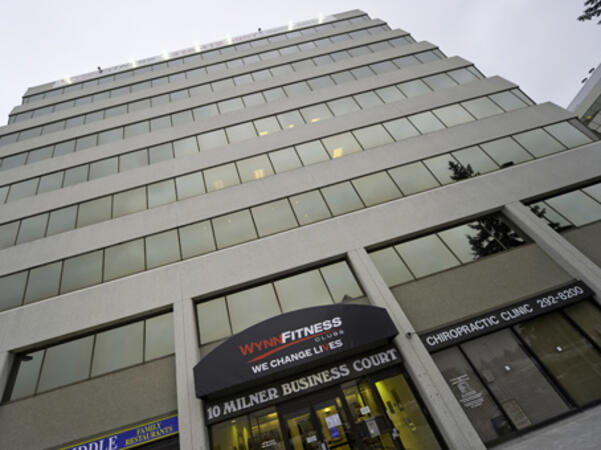
Scarborough – 10 Milner Business Court
10 Milner Business Court, Scarborough, Canada, M1B 3C6

The Milner Court Centre occupies the third floor of a corner property. It is easily accessible by public transport, both by bus and the rapid transit system.
Oakville - Winston Park
2010 Winston Park Drive, Oakville, Canada, L6H 5R7
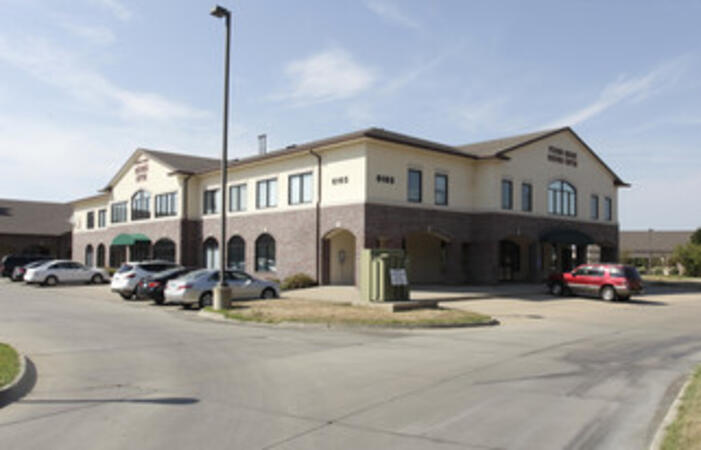
The Winston Park centre is located close to both the Queen Elizabeth Way and Ontario 403 giving easy access for Burlington and Hamilton to the west and Mississauga and Toronto to the East.
Barrie - 49 High Street
49 High Street, Barrie, Canada, L4N 5J4

Balance work and leisure from our office space at 49 High Street. Barrie has a bustling commercial heart and enjoys great connectivity – our central office space is just a few minutes’ drive from Highway 400
Maximise opportunities in this forward-thinking city, a knowledge center home to several tech giants. Our well-connected 180 Northfield Drive West centre is on the city's Corporate Campus near the prestigious University of Waterloo.
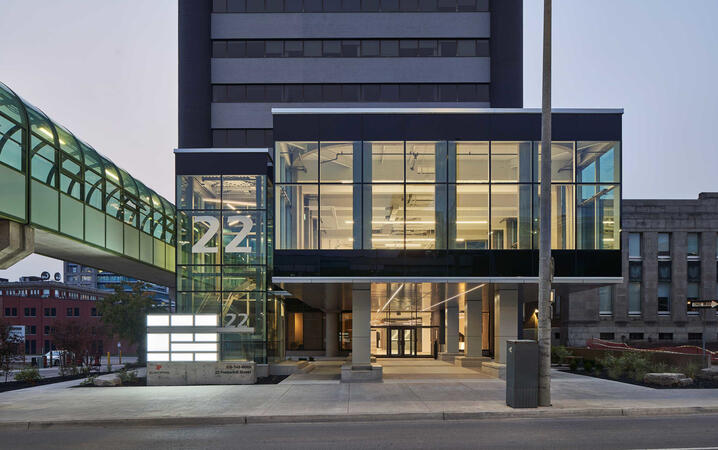
Kitchener - 22 Frederick Street
22 Frederick Street, Kitchener, canada, N2H 6M6
Prominent office space in downtown location
Establish your business in the heart of downtown Kitchener. Work alongside leading finance and insurance companies at our 22 Frederick Street offices on the corner of Frederick Street, giving you easy access to local amenities.
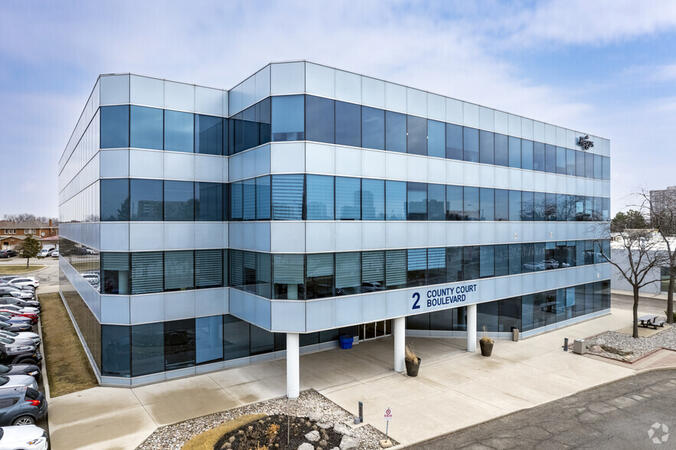
Brampton - 2 County Court
2 County Court Boulevard, Brampton, Canada, L6W 3W8

Look to the future with an office space at 2 County Court, a building with outstanding sustainability credentials. The third largest city in Greater Toronto enjoys great transport links, while Toronto’s international airport is under 10 miles away.
Richmond Hill - The Business Exchange
9225 Leslie Street, Richmond Hill, Canada, L4B 3H6

Place your business in the peaceful surroundings of Richmond Hill, home to leading global brands. Located in the northern suburbs, our The Business Exchange workspace is just a 30-minute drive from central Toronto and the International Airport.
Ottawa - Albert & Metcalfe
116 Albert Street, Ottawa, Canada, K1P 5G3

Across the street from the World Exchange Plaza. The Ottawa Shaw Centre and CF Rideau Centre shopping mall 10 minutes away.
Barrie-49 High Street
3rd floor, Dunlop Street West, Barrie, Canada, L4N 1A8

A Perfect Balance of Work and Leisure by Lake Simcoe
Combine productivity with relaxation in our office space at 49 High Street. Located in the vibrant commercial center of Barrie, this office offers excellent connectivity, with Highway 400 just a short drive away.
Work efficiently in a modern brick building featuring a glass-fronted entrance, beautifully designed workspaces, and curated artwork in every meeting room. After a productive day, enjoy the nearby restaurants or take a leisurely walk to Heritage Park by the waterfront for some fresh air and relaxation.
Toronto - Toronto Street
36 Toronto Street, Toronto, Canada, M5C 2C5

Steps away from Toronto's prestigious financial core. Fast link to Pearson International Airport - less than 30 minutes away.
Ottawa - 343 Preston
343 Preston Street, Ottawa, Canada, K1S 1N4

On the top floor of a distinctive office tower that's highly visible from Highway 417, you will find Regus 343 Preston Centre in Ottawa. Only a 10 minute drive from downtown Ottawa, a short stroll away from Downs Lake, and located near the lively intersection of Preston Gladstone in Little Italy.
Mississauga - Airways
5925 Airport Road, Mississauga, Canada, L4V 1W1
Airways is a beautiful center located at 5925 Airport Road, directly across from Toronto Pearson International Airport offering shuttle services. Adjacent to Highways 409 and 427, our center is easily accessible.
Tableau Explorer is a license level in Tableau Cloud designed for users who interact with dashboards, apply filters, create views, and collaborate with teams using published data sources.
This instructor-led, live training (online or onsite) is aimed at beginner-level to intermediate-level business users who wish to explore, filter, and interact with data using Tableau Explorer in Tableau Cloud.
By the end of this training, participants will be able to:
Navigate Tableau dashboards and shared workbooks confidently.
Apply filters, drill down, and export data from dashboards.
Create saved views and custom alerts based on data changes.
Collaborate with team members using comments, subscriptions, and shared views.
Format of the Course
Interactive lecture and demonstration.
Hands-on exercises using shared dashboards and published content.
Real-time practice in Tableau Cloud with guided exploration.
Course Customization Options
To request a customized training for this course, please contact us to arrange.
This instructor-led, live training in Ontario (online or onsite) is aimed at beginner-level to intermediate-level data analysts who wish to gain practical knowledge of Tableau Prep Builder and the essential mapping functionalities in Tableau to address data preparation and visualization challenges.
By the end of this training, participants will be able to:
Connect to a variety of data sources, including cloud-based and local files, and manage live and extracted data connections.
Perform data fusion and combination using advanced joining techniques to merge multiple datasets from different sources for better analysis.
Create calculated fields and perform operations to manipulate and analyze data dynamically.
Publish and update prepared data to Tableau Server or Tableau Online, enabling automated updates and scheduling.
Create basic and advanced maps with geographic data, including filled maps, density maps, and dual-axis maps.
Apply mapping techniques to solve real-world business problems by creating interactive, detailed geographic visualizations.
This instructor-led, live training in Ontario (online or onsite) is aimed at beginner-level to intermediate-level data analysts who wish to use Tableau Desktop to transform raw data into meaningful insights through graphical representations such as charts, graphs, maps, and tables.
By the end of this training, participants will be able to:
Connect to multiple types of data sources (Excel, CSV, databases, cloud-based) and understand the distinctions between live and extract connections.
Prepare and clean data for analysis, including renaming fields, handling null values, and combining datasets through joins and blends.
Create basic visualizations such as tables, bar charts, line charts, and maps, and apply filters to refine data presentations.
Develop intermediate visualizations including geographic maps, dual-axis charts, and use hierarchies, groups, and sets to enhance analysis.
Build calculated fields and parameters to create dynamic and customized visualizations based on user inputs and logic functions.
Design interactive dashboards and stories, incorporating multiple visualizations and filters to tell a cohesive narrative.
By the end of this training, participants will be able to:
This instructor-led, live training in Ontario (online or onsite) is aimed at intermediate-level digital forensic and cybersecurity professionals who wish to have a comprehensive understanding and practical skills in using Tableau Forensic Imager for digital forensic purposes.
Understand the role and importance of digital forensic imaging in investigations.
Operate Tableau Forensic Imager to acquire forensically sound images.
Apply best practices in handling and preserving digital evidence.
Navigate the software interface to configure, execute, and manage imaging tasks.
Analyze and validate forensic images to ensure integrity and admissibility in court.
By the end of this training, participants will be able to:
This instructor-led, live training in Ontario (online or onsite) is aimed at intermediate to advanced-level data architects who wish to learn skills for installing, configuring, managing, and maintaining a Tableau server.
Have an in-depth understanding of the Tableau Server architecture.
Understand Tableau Server processes and functions.
User Tableau Server to automate tasks.
Configure and manage the Tableau Server.
Set up Tableau Server for high availability and scalability.
This instructor-led, live training in Ontario (online or onsite) is aimed at data scientists and developers who wish to use and integrate SQL, Python, and Tableau to perform complex data analysis, processing, and visualization.
By the end of this training, participants will be able to:
Set up the necessary environment to perform data analysis with SQL, Python, and Tableau.
Understand the key concepts of software integration (data, servers, clients, APIs, endpoints, etc.).
Get a refresher on the fundamentals of Python and SQL.
Perform data pre-processing techniques in Python.
Learn how to connect Python and SQL for data analysis.
Create insightful data visualizations and charts with Tableau.
This course teaches you about human perception and how to leverage it to deliver the best insights. You will get familiar with design theory, including Gestalt Laws, pre-attentive attributes, and inclusivity. You will also understand the similarities and differences between exploratory and explanatory analysis. You will discover the usage of the charts and learn how to choose the most suitable one. At the end of the course, you will know how to implement the design principles is visualizations created using Tableau software.
This is a Tableau user beginners course; it is intended for anyone who is looking to work with data and is designed to help you use the main functions in Tableau.
Connect to your data.
Edit and save a data source.
Understand Tableau terminology.
Use the Tableau interface / paradigm to effectively create powerful visualizations.
Create basic calculations including basic arithmetic calculations, custom aggregations and ratios, date math, and quick table calculations.
Represent your data using the following visualization types:
Cross tabs
Geographic maps
Heat maps
Tree maps
Pie charts and bar charts
Dual axis and combined charts with different mark types
This instructor-led, live training in Ontario (online or onsite) is aimed at beginner-level professionals who wish to use Tableau to create data visualizations and interactive dashboards.
By the end of this training, participants will be able to: connect to data sources, build visualizations, design dashboards, and apply basic data analysis techniques.
In this instructor-led, live training in Ontario, participants will learn how to extend the capabilities of Tableau to fit the specific needs of their organization.
By the end of this training, participants will be able to:
Install and configure Tableau (Desktop, Server, Online.)
Understand the fundamentals of developing with Tableau.
Create and publish data visualizations and interactions with Tableau.
Use Tableau's developer tools and APIs to customize and extend the capabilities of Tableau for their organization.
This instructor-led, live training in Ontario (online or onsite) is aimed at data analysts and data scientists who wish to search, analyze, and visualize data using Tableau.
By the end of this training, participants will be able to:
Connect to your data.
Edit and save a data source.
Understand Tableau terminology.
Use the Tableau interface / paradigm to effectively create powerful visualizations.
Create calculations including arithmetic calculations, custom aggregations and ratios, date math, and table calculations.
Represent your data using different visualization types.
This instructor-led, live training in Ontario (online or onsite) is aimed at data analysts who wish to prepare and shape data using Tableau Prep Builder.
By the end of this training, participants will be able to:
Install Tableau Prep.
Understand and implement a Data Science Workflow.
Read data from a variety of sources, such as Excel and databases.
Prepare, shape and sample data for analysis in Tableau Desktop.
Tableau is a business intelligence and data visualization tool. Python is a widely used programming language which provides support for a wide variety of statistical and machine learning techniques. Tableau's data visualization power and Python's machine learning capabilities, when combined, help developers rapidly build advanced data analytics applications for various business use cases.
In this instructor-led, live training, participants will learn how to combine Tableau and Python to carry out advanced analytics. Integration of Tableau and Python will be done via the TabPy API.
By the end of this training, participants will be able to:
Integrate Tableau and Python using TabPy API
Use the integration of Tableau and Python to analyze complex business scenarios with few lines of Python code
Audience
Developers
Data scientists
Format of the course
Part lecture, part discussion, exercises and heavy hands-on practice
This instructor-led, live training in Ontario (online or onsite) is aimed at beginner to intermediate-level data scientists and analysts who wish to learn how to utilize Tableau tools for data visualization and analysis.
By the end of this training, participants will be able to:
Connect multiple sources of data.
Create basic data visualizations.
Use basic to advanced calculations for data analysis.
Learn best practices for using graphs and visualizations.
This course is designed for the learner who has never used Tableau before, or who may need a refresher. It will guide you through the steps necessary to create your first visualization from the beginning. You will also learn how to apply essential design principles to your Tableau visualizations. By the end of the course, you will be able to create and share your insights with the broader audience.
This instructor-led, live training in Ontario (online or onsite) is aimed at advanced-level data professionals who wish to use Tableau to build complex visualizations, optimize dashboards, and perform advanced data analysis.
By the end of this training, participants will be able to: install and configure Tableau for advanced use, create advanced calculations, design interactive dashboards, and optimize performance.
This instructor-led, live training in Ontario (online or onsite) is aimed at intermediate-level data professionals who wish to use Tableau to create advanced visualizations and dashboards for data-driven decision-making.
By the end of this training, participants will be able to: build advanced charts, use calculated fields and parameters, design interactive dashboards, and share insights effectively.
This is a compelling 4-day course for Tableau beginners. During this course, you will get familiar with all Tableau features and learn how to create and share data visualization with others. The course will guide you through all of the steps, including connecting to data, creating calculations, choosing a chart, building the dashboard, and publishing your work.
The course is divided into lectures dedicated to each topic, followed by practical exercises. The course will end with 30 minutes test and 60 minutes project assignment.
Course milestones:
Get familiar with Tableau interface.
Connect to and work with your data.
Use the Tableau features.
Build an insightful visualization.
Share your work with a broader audience.
Format of the Course:
Interactive lecture and discussion.
Lots of exercises and practice.
Hands-on implementation in a live-lab environment.
Knowledge test and hands-on project at the end of the course
Read more...
Last Updated:
Testimonials (5)
The great atmosphere
Keivan Diakite - Sigedis
Course - Tableau Advanced
Machine Translated
The joyful atmosphere, the openness of the knowledgeable trainer who offered us a lot of tips and tricks.
Ionut - MOLSONCOORS GLOBAL BUSINESS SERVICES SRL
Course - From Tableau Beginners to Advanced User
No pressure on the attendance
Agata Budzynska - Tech NorthWest Skillnet
Course - Tableau Fundamentals
The Practice, I created a dashboard is super easy, once time understand the subjects.
Luis Fernando - si
Course - Tableau Fundamentals to Advanced
Weronika created a really friendly, informal atmosphere. The training involved a lot of useful knowledge transfer, technical skills exercises and theory, as well as best practices and guidance on how to handle our own data.
Online Tableau training in Ontario, Tableau training courses in Ontario, Weekend Tableau courses in Ontario, Evening Tableau training in Ontario, Tableau instructor-led in Ontario, Tableau on-site in Ontario, Tableau boot camp in Ontario, Tableau classes in Ontario, Evening Tableau courses in Ontario, Tableau one on one training in Ontario, Tableau private courses in Ontario, Tableau instructor-led in Ontario, Tableau instructor in Ontario, Tableau trainer in Ontario, Weekend Tableau training in Ontario, Tableau coaching in Ontario, Online Tableau training in Ontario