Whether online or onsite, instructor-led live 3D Modeling training courses demonstrate the fundamentals and advanced concepts of 3D Modeling through interactive hands-on practice.
3D Modeling training is available as "online live training" or "onsite live training". Online live training (aka "remote live training") is carried out by way of an interactive, remote desktop. Ontario onsite live 3D Modeling trainings can be carried out locally on customer premises or in NobleProg corporate training centers.
NobleProg -- Your Local Training Provider
London - London City Centre
380 Wellington Street, London, Canada, N6A 5B5
The centre occupies the 6th floor of City Centre Building a conveniently-located corner complex in downtown London, Ontario.
West Toronto - Etobicoke
10 Four Seasons Place, Toronto, Canada, M9B 6H7
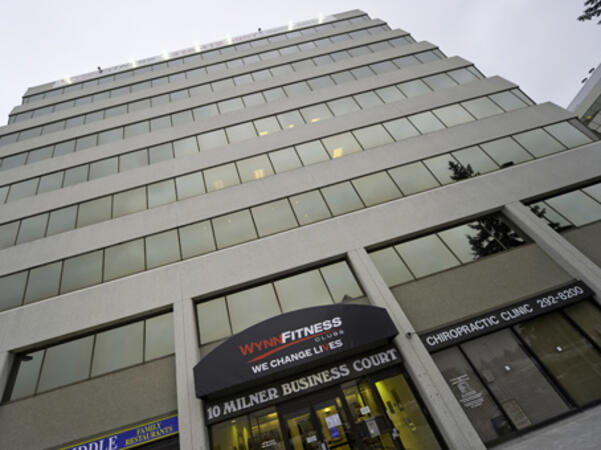
Etobicoke is a prestigious area located on the western fringe of Toronto, and is the cushion between Toronto and Mississauga. Easily accessible by public transportation (bus) and is 5 minutes from the local subway station.
Scarborough – 10 Milner Business Court
10 Milner Business Court, Scarborough, Canada, M1B 3C6

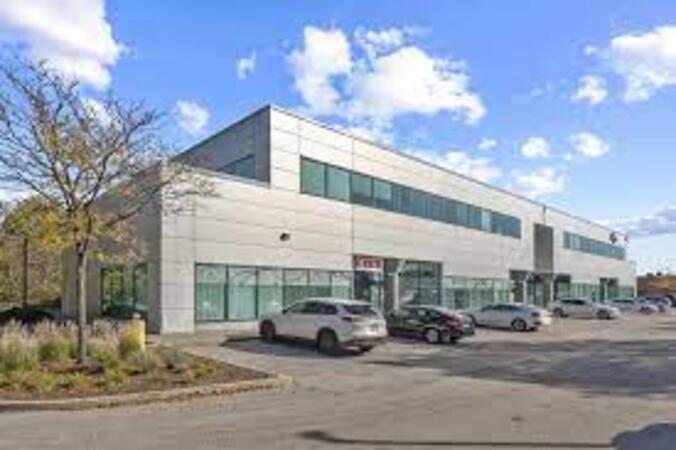
The Milner Court Centre occupies the third floor of a corner property. It is easily accessible by public transport, both by bus and the rapid transit system.
Oakville - Winston Park
2010 Winston Park Drive, Oakville, Canada, L6H 5R7
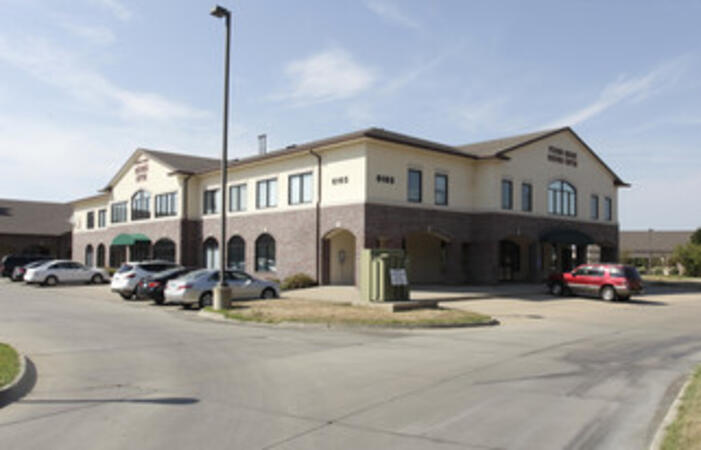
The Winston Park centre is located close to both the Queen Elizabeth Way and Ontario 403 giving easy access for Burlington and Hamilton to the west and Mississauga and Toronto to the East.
Barrie - 49 High Street
49 High Street, Barrie, Canada, L4N 5J4
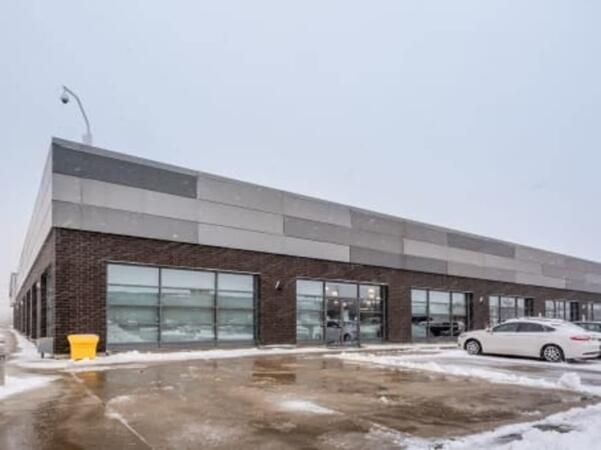
Balance work and leisure from our office space at 49 High Street. Barrie has a bustling commercial heart and enjoys great connectivity – our central office space is just a few minutes’ drive from Highway 400
Maximise opportunities in this forward-thinking city, a knowledge center home to several tech giants. Our well-connected 180 Northfield Drive West centre is on the city's Corporate Campus near the prestigious University of Waterloo.
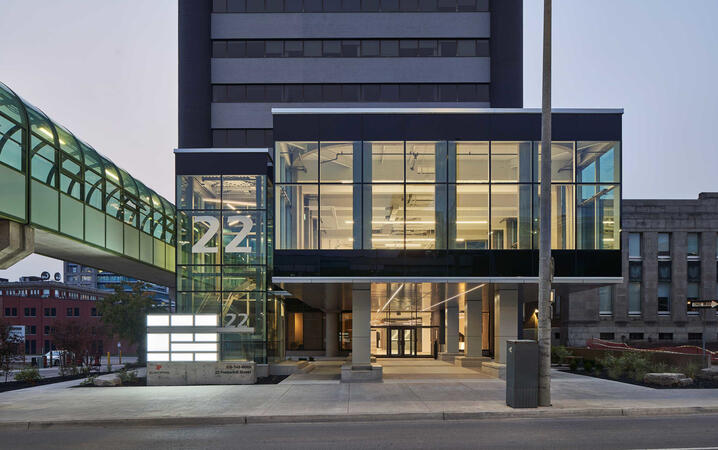
Kitchener - 22 Frederick Street
22 Frederick Street, Kitchener, canada, N2H 6M6
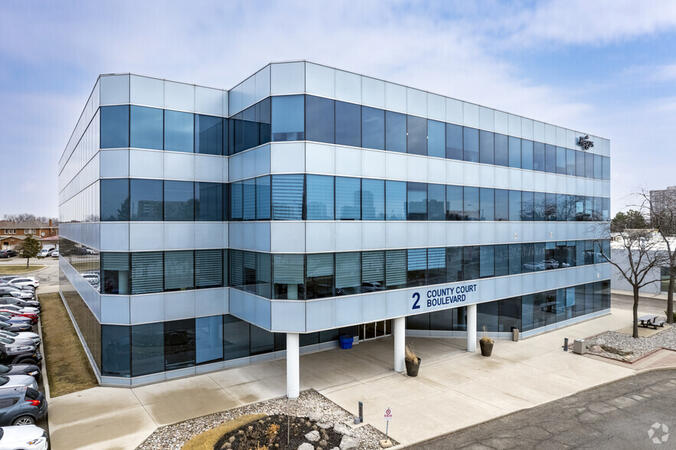
Prominent office space in downtown location
Establish your business in the heart of downtown Kitchener. Work alongside leading finance and insurance companies at our 22 Frederick Street offices on the corner of Frederick Street, giving you easy access to local amenities.
Brampton - 2 County Court
2 County Court Boulevard, Brampton, Canada, L6W 3W8

Look to the future with an office space at 2 County Court, a building with outstanding sustainability credentials. The third largest city in Greater Toronto enjoys great transport links, while Toronto’s international airport is under 10 miles away.
Richmond Hill - The Business Exchange
9225 Leslie Street, Richmond Hill, Canada, L4B 3H6

Place your business in the peaceful surroundings of Richmond Hill, home to leading global brands. Located in the northern suburbs, our The Business Exchange workspace is just a 30-minute drive from central Toronto and the International Airport.
Ottawa - Albert & Metcalfe
116 Albert Street, Ottawa, Canada, K1P 5G3

Across the street from the World Exchange Plaza. The Ottawa Shaw Centre and CF Rideau Centre shopping mall 10 minutes away.
Barrie-49 High Street
3rd floor, Dunlop Street West, Barrie, Canada, L4N 1A8
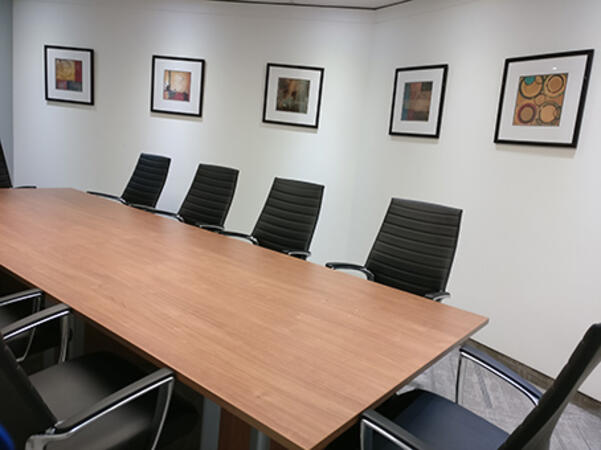
A Perfect Balance of Work and Leisure by Lake Simcoe
Combine productivity with relaxation in our office space at 49 High Street. Located in the vibrant commercial center of Barrie, this office offers excellent connectivity, with Highway 400 just a short drive away.
Work efficiently in a modern brick building featuring a glass-fronted entrance, beautifully designed workspaces, and curated artwork in every meeting room. After a productive day, enjoy the nearby restaurants or take a leisurely walk to Heritage Park by the waterfront for some fresh air and relaxation.
Toronto - Toronto Street
36 Toronto Street, Toronto, Canada, M5C 2C5

Steps away from Toronto's prestigious financial core. Fast link to Pearson International Airport - less than 30 minutes away.
Ottawa - 343 Preston
343 Preston Street, Ottawa, Canada, K1S 1N4

On the top floor of a distinctive office tower that's highly visible from Highway 417, you will find Regus 343 Preston Centre in Ottawa. Only a 10 minute drive from downtown Ottawa, a short stroll away from Downs Lake, and located near the lively intersection of Preston Gladstone in Little Italy.
Mississauga - Airways
5925 Airport Road, Mississauga, Canada, L4V 1W1
Airways is a beautiful center located at 5925 Airport Road, directly across from Toronto Pearson International Airport offering shuttle services. Adjacent to Highways 409 and 427, our center is easily accessible.
ArchiCAD is a professional Building Information Modeling (BIM) software developed by Graphisoft, widely used for architectural design, documentation, and collaboration.
This instructor-led, live training (online or onsite) is aimed at intermediate-level to advanced-level architecture and BIM professionals who wish to master complex modeling techniques, automate workflows, and enhance collaboration using ArchiCAD’s advanced features.
By the end of this training, participants will be able to:
Use ArchiCAD’s advanced modeling and documentation tools efficiently.
Customize templates, attributes, and standards for large-scale projects.
Leverage teamwork, BIMcloud, and IFC workflows for multi-user collaboration.
Integrate automation, visualization, and performance optimization tools in ArchiCAD.
Format of the Course
Interactive lecture and discussion.
Lots of exercises and practice.
Hands-on implementation in a live-lab environment.
Course Customization Options
To request a customized training for this course, please contact us to arrange.
AutoCAD Plant 3D is a specialized CAD application for designing process plant facilities, providing tools for piping, equipment, and structural modelling as well as isometric and orthographic deliverables.
This instructor-led, live training (online or onsite) is aimed at intermediate-level to advanced-level CAD professionals who wish to create customized libraries and templates, integrate mechanical and structural elements, and implement advanced interference checking and conflict resolution workflows.
By the end of this training, participants will be able to:
Create and maintain customized templates for parts, equipment, and repetitive activities.
Modify and extend component libraries to meet project standards and workflows.
Produce isometric and orthogonal drawings and optimize templates for repetitive tasks.
Perform advanced interference checking and document conflicts and resolutions.
Format of the Course
Interactive lecture and demonstration.
Hands-on exercises in a lab environment using real project files.
Practical workshops focused on templates, library editing, and clash management.
Course Customization Options
To request a customized training for this course, please contact us to arrange.
This instructor-led, live training in Ontario (online or onsite) is aimed at intermediate-level architects who wish to use ArchiCAD for architectural design, building information modeling (BIM), and advanced construction documentation.
By the end of this training, participants will be able to:
Learn to create, modify, and manage both 2D and 3D views within projects.
Understand and manipulate objects, components, and libraries in ArchiCAD.
Create detailed building sections, elevations, and component details.
Analyze and optimize building energy performance using ArchiCAD’s energy analysis tools.
Develop photorealistic renderings and animations for presentations.
Automate building processes and run performance simulations.
This instructor-led, live training in Ontario (online or onsite) is aimed at intermediate-level to advanced-level SolidWorks users who wish to deepen their modeling skills, master advanced features, and improve design efficiency and accuracy.
By the end of this training, participants will be able to:
Create complex parts, assemblies, and configurations efficiently.
Use advanced modeling tools such as sweeps, lofts, and surfaces.
Apply design tables, equations, and parametric controls.
Perform simulations and motion studies to validate designs.
This instructor-led, live training in Ontario (online or onsite) is aimed at beginner-level electrical engineers and designers who wish to use AutoCAD to create professional electrical drawings and documentation.
By the end of this training, participants will be able to:
Understand the basics of electrical design and drafting using AutoCAD Electrical.
Learn to create and manage electrical schematics, panel layouts, and wiring diagrams.
Utilize AutoCAD Electrical's advanced tools and features to enhance productivity.
Apply best practices for electrical design and documentation.
This instructor-led, live training in Ontario (online or onsite) is aimed at beginner-level users who wish to explore the core functionalities of Solidworks PDM and its applicability to their organization's design file management requirements.
By the end of this training, participants will be able to:
Understand the key features and benefits of Solidworks PDM.
Navigate the Solidworks PDM interface and workflows.
Perform basic end-user tasks such as file check-in/check-out, versioning, and searching.
Explore administrative functionalities, including vault configuration, user permissions, and workflow customization.
Assess the potential implementation of Solidworks PDM across multiple company sites.
This instructor-led, live training in Ontario (online or onsite) is aimed at intermediate-level mechanical engineers and CAD designers who wish to use SolidWorks to design and implement industrial automation systems.
By the end of this training, participants will be able to:
Install and configure SolidWorks for automation design.
Design, simulate, and analyze industrial automation components and systems.
Export designs for real-world implementation in industrial settings.
This instructor-led, live training in Ontario (online or onsite) is aimed at advanced-level AutoCAD Plant 3D users who wish to use AutoCAD Plant 3D for complex plant design projects effectively.
By the end of this training, participants will be able to:
Use AutoCAD Plant 3D for complex and detailed plant design projects.
Understand the advanced features of AutoCAD Plant 3D, including custom component creation, advanced data management, and complex routing.
Manage large-scale projects and collaborate effectively with teams using different software tools.
Customize the software and automate repetitive tasks to meet specific project needs.
This instructor-led, live training in Ontario (online or onsite) is aimed at artists, game developers, or complete beginners who wish to use Blender to create 3D models for interactive applications, video games, animated films, etc.
By the end of this training, participants will be able to:
Learn how to create animations and visual effects with Blender.
Add curves, surfaces, metaballs, and hair particles to simulate realistic 3D motions.
Introduction to non-destructive modelling and animation.
Export 3D models and assets to a game engine, 3D printer, or other software.
This instructor-led, live training in Ontario (online or onsite) is aimed at beginner-level to intermediate-level professionals in plant design and engineering who wish to gain and enhance their skills in using AutoCAD Plant 3D.
By the end of this training, participants will be able to:
Set up a development environment that includes AutoCAD Plant 3D.
Create detailed 3D plant models and layouts.
Generate accurate isometric and orthographic drawings.
Effectively document and collaborate on plant designs.
This instructor-led, live training in Ontario (online or onsite) is aimed at beginner-level engineers who wish to use Autodesk InfoDrainage for storm and foul network design, both as a standalone tool and integrated with Civil 3D.
By the end of this training, participants will be able to:
Create, edit, and analyze both storm and foul drainage networks in InfoDrainage.
Conduct 1D and 2D simulations to assess drainage system performance.
Understand how to integrate data between Civil 3D and InfoDrainage efficiently.
This instructor-led, live training in Ontario (online or onsite) is aimed at artists, game developers, or complete beginners who wish to use Blender to create 3D models for interactive applications, video games, animated films, etc.
By the end of this training, participants will be able to:
Understand the principles and core concepts of 3D modeling.
Explore a variety of modes and tools for modeling and editing 3D meshes.
Use the tools for UV mapping/unwrapping, sculpting, and painting 3D models renderring.
This instructor-led, live training in Ontario (online or onsite) is aimed at intermediate-level to advanced-level mechatronics, mechanical, electrical, and electronics engineers who wish to further enhance their SolidWorks knowledge by mastering advanced part modeling, as well as other advanced features and shaping capabilities of SolidWorks.
By the end of this training, participants will be able to:
Use multi-body solids, sweeping and lofting features, and more advanced SolidWorks features.
Utilize the assembly modeling capabilities of SolidWorks.
Master the advanced modeling features of SolidWorks.
This instructor-led, live training in Ontario (online or onsite) is aimed at beginner-level graphic designers and artists who wish to learn the basics of 3ds Max and how to create 3D models, animations, and renderings for various purposes.
By the end of this training, participants will be able to:
Set up a development environment that includes 3ds Max software, a computer that meets the system requirements, and Visual Studio Code.
Create a basic 3ds Max project and explore the user interface and navigation tools.
Use 3ds Max tools and modifiers to create and edit 3D objects, such as primitives, shapes, meshes, and splines.
Use 3ds Max materials and maps to apply colors, textures, and effects to 3D objects.
Use 3ds Max lights and cameras to set up the scene and adjust the lighting and perspective.
Use 3ds Max animation tools and controllers to animate 3D objects and create keyframes, curves, and trajectories.
Use 3ds Max rendering tools and settings to render the scene and export the final image or video.
This instructor-led, live training in Ontario (online or onsite) is aimed at beginner-level to intermediate-level web designers who wish to learn how to use CATIA V5 for collaborative product creation and product data management.
By the end of this training, participants will be able to:
Understand the CATIA V5 interface and navigation.
Create 2D sketches and transform them into 3D models.
Develop assemblies to combine multiple components.
This instructor-led, live training in Ontario (online or onsite) is aimed at intermediate-level geospatial professionals who wish to use Rhinoceros 6 and Agisoft Metashape to create, refine, and integrate detailed 3D models.
By the end of this training, participants will be able to:
Understand the fundamentals of 3D design and photogrammetry.
Efficiently navigate and use Rhinoceros 6 for creating and refining 3D models.
Apply NURBS modeling techniques in Rhinoceros 6 and perform photogrammetric processing using Agisoft Metashape.
This instructor-led, live training in Ontario (online or onsite) is aimed at intermediate-level to advanced-level mechatronics, mechanical, electrical, and electronics engineers who wish to further enhance their SolidWorks knowledge by mastering advanced part modeling, as well as other advanced features and shaping capabilities of SolidWorks.
By the end of this training, participants will be able to:
Use multi-body solids, sweeping and lofting features, and more advanced SolidWorks features.
Utilize the assembly modeling capabilities of SolidWorks.
Master the advanced modeling features of SolidWorks.
This instructor-led, live training in Ontario (online or onsite) is aimed at advanced-level web designers who wish to learn how to handle heavy drawings using AutoCAD.
By the end of this training, participants will be able to:
Understand the challenges associated with large drawings and implement strategies for efficient file organization.
Apply techniques to improve drawing performance and handle regenerations efficiently.
This instructor-led, live training in Ontario (online or onsite) is aimed at artists, game developers, or complete beginners who wish to use Blender to create 3D models for interactive applications, video games, animated films, etc.
By the end of this training, participants will be able to:
Understand the principles and core concepts of 3D modeling.
Explore a variety of modes and tools for modeling and editing 3D meshes.
Learn how to create animations and visual effects with Blender.
Add curves, surfaces, metaballs, and hair particles to simulate realistic 3D motions.
Use the tools for UV mapping/unwrapping, sculpting, and painting 3D models.
Export 3D models and assets to a game engine, 3D printer, or other software.
This instructor-led, live training in Ontario (online or onsite) is aimed at beginner-level to intermediate-level web designers who wish to learn how to use CATIA V5 for collaborative product creation and product data management.
By the end of this training, participants will be able to:
Understand the CATIA V5 interface and navigation.
Create 2D sketches and transform them into 3D models.
Develop assemblies to combine multiple components.
This instructor-led, live training in Ontario (online or onsite) is aimed at anyone who wishes to learn how to use Digital Twin in monitoring and analyzing products and processes before building and deploying the actual product.
By the end of this training, participants will be able to:
Learn and understand the fundamental concepts of Digital Twin.
Understand the Digital Twin types and life cycle.
Use Digital Twin to effectively manage research data and design models.
SketchUp Pro is a 3D modeling software used for architectural, interior design, and product visualization that enables users to create, modify, and present detailed spatial models efficiently.
This instructor-led, live training (online or onsite) is aimed at intermediate-level interior designers and design professionals who wish to master SketchUp Pro for iPad to create, visualize, and refine interior design concepts such as rooms, furniture, and layout compositions.
Upon completion of this training, participants will be able to:
Set up and navigate SketchUp Pro on iPad efficiently.
Create and modify interior models including walls, furniture, and spatial layouts.
Apply textures, materials, and lighting for realistic visualizations.
Export and share models for presentation and collaboration.
Format of the Course
Interactive lecture and guided demonstrations.
Hands-on exercises and modeling practice on iPad.
Live project work with feedback and Q&A sessions.
Course Customization Options
To request a customized training for this course, please contact us to arrange.
This instructor-led, live training in Ontario (online or onsite) is aimed at beginner-level developers and architects who wish to learn the basics of Navisworks and how to use it for BIM (Building Information Modeling) project delivery.
By the end of this training, participants will be able to:
Set up and use Navisworks for 3D model review and coordination.
Create and visualize a composite BIM model from different design disciplines.
Communicate and annotate issues and feedback within the model.
Perform clash detection and resolution between 3D files.
Simulate and control construction schedules and costs.
This instructor-led, live training in Ontario (online or onsite) is aimed at designers, mechanical engineers, and anyone who wishes to learn how to create 3D models that can be constructed or 3D printed.
By the end of this training, participants will be able to:
Create printable 3D models.
Use geometric transformations to build complex 3D shapes.
Model in a non-interactive manner using minimal lines of code.
This instructor-led, live training in Ontario (online or onsite) is aimed at mechatronics, mechanical, electrical, and electronics engineers who wish to use SolidWorks to sketch and produce a detailed drawing of their ideas and concepts.
By the end of this training, participants will be able to:
Understand the fundamentals of SolidWorks.
Design and create parts, assemblies, and 3D models with SolidWorks.
Unity, Blender, and Visual Studio together provide a powerful toolkit for creating and programming industrial virtual environments. Unity enables interactive simulation and visualization, Blender offers advanced 3D modeling capabilities, and Visual Studio serves as the programming backbone for integrating control systems and industrial logic.
This instructor-led, live training (online or onsite) is aimed at beginner-level to intermediate-level professionals who wish to design, model, and program industrial environments for simulation, training, and integration purposes.
By the end of this training, participants will be able to:
Design and model industrial equipment and scenarios using Blender.
Import and optimize 3D models in Unity for visualization.
Program system logic and integration workflows in Visual Studio.
Create interactive industrial virtual environments with control system connections.
Format of the Course
Interactive lecture and discussion.
Hands-on 3D modeling and environment development.
Programming and integration exercises with live demonstrations.
Course Customization Options
To request a customized training for this course, please contact us to arrange.
The course is designed to teach the fundamentals of the Systems Modeling Language (SysML), its application through the Magicdraw/Cameo software, basic Model-Based Systems Engineering (MBSE) simulation techniques, and best practices in MBSE.
The BEM (Boundary Element Method) is a numerical computational method and design technique for solving a range of engineering and physical problems. BEM is a promising alternative to FEM (Finite Element Method) as it bypasses the need for a 3D finite element mesh of an entire space.
In this instructor-led, live training, participants will learn the theory and benefits of using BEM as they apply BEM techniques to solving engineering design problems related to complex three dimensional structures. The mathematical concepts behind BEM are explained and applied as coding exercises throughout the training.
Audience
Developers
Engineers
Format of the course
Part lecture, part discussion, exercises and heavy hands-on practice
Cortona3D is publication software for generating web-based 3D/2D documentation from existing CAD and BOM data.
In this instructor-led, live training, participants will learn how to set up and operate the various Cortona3D components as they create enhanced technical documentation for a sample project.
By the end of this training, participants will be able to use Cortona3D to publish various types of 3D-animated materials, including catalogs, documentation and training resources.
Audience
Engineers
Designers
Technical publication professionals
Format of the course
Part lecture, part discussion, exercises and heavy hands-on practice
The course is designed to teach the fundamentals of the Systems Modeling Language (SysML), its application through the MagicDraw/Cameo software, basic Model-Based Systems Engineering (MBSE) simulation techniques, and best practices in MBSE. This training covers the fundamentals of creating templates and generating reports within the MagicDraw/Cameo tool suite, and teaches how macros and scripts work inside MagicDraw and what they can be applied to.
The course is designed to teach the fundamentals of the Systems Modeling Language (SysML), its application through the MagicDraw/Cameo software, basic Model-Based Systems Engineering (MBSE) simulation techniques, and best practices in MBSE. This training teaches the core concepts and features of validation rules, validation suites, and model metrics and is designed to introduce the core concepts and features of developing and utilizing model queries in MagicDraw/Cameo.
This instructor-led, live training (online or onsite) is aimed at mechanical engineers and designers wishing to learn how to use the Modelica modeling language to model industrial systems.
Modelica is a modeling language for complex systems involving mechanical, electrical, electronic, hydraulic, thermal, control, electric power or process-oriented subcomponents.
By the end of this training, participants will be able to:
Choose from different open source platforms for developing Modelica models
Understand different real-world usages and implementation details of Modelica
Model real-world industrial systems involving electric and mechanical components
Implement Modelica libraries and create their own classes
Integrate their algorithms into existing systems and applications
Format of the Course
Interactive lecture and discussion
Lots of exercises and practice
Hands-on implementation in a live-lab environment
Course Customization Options
This training is based on various open source platforms for running Modelica (JModelica.org, Openmodelica, etc.).
To request a specific implementation for this course, please contact us to arrange.
This instructor-led, live training in Ontario (online or onsite) is aimed at design engineers or industrial designers who wish to use NVIDIA Omniverse to build realistic simulations while working collaboratively on a single platform.
By the end of this training, participants will be able to:
Install and enable Omniverse components and applications.
Develop and render 3D simulations that mimic physically accurate environment and workflows.
Simplify the process of building and rendering complex workflows by connecting different design tools and applications in one platform.
A deep dive into Model-Based Systems Engineering with Model Execution — this course equips systems engineers and enterprise architects with practical skills for simulating system behaviors using the Cameo Simulation Toolkit within MagicDraw. Dive into essential topics across Activity Diagrams, State Machine Diagrams, Sequence Diagrams, Parametric Diagrams, and User Interface Modeling while executing trade studies and automating architecture workflows. Guides participants through model-based simulation techniques, fUML execution, constraint-based modeling, and requirements verification to validate system designs efficiently. Build confidence in using interactive graphical simulation interfaces to test architecture decisions and communicate stakeholder requirements. Ideal for professionals seeking to enhance their MBSE toolkit and streamline complex system verification through proven methods and hands-on industry exercises.
PCB (Printed Circuit Board) Circuit Design refers to the process of designing, etching, and printing circuits on a signal boards layout. EAGLE is a freely available desktop application for designing PCBs.
In this instructor-led, live training, participants will learn how to use the Eagle software to create PCB circuit boards. The course starts by examining a set of existing schematics, then drawing out an original circuit in Eagle. The training steps through process for designing the circuit board and discusses the process for manufacturing the boards (the course does not include the physical manufacturing of the boards).
By the end of this training, participants will be able to:
Create a Printed Circuit Board (PCB) from any schematic
Create schematics and design circuit boards using Eagle
Export the industry-standard files for constructing the circuit board
Audience
Engineers
Technicians
Format of the Course
Part lecture, part discussion, exercises and heavy hands-on practice
Notes
To request a customized training for this course, please contact us to arrange.
This instructor-led, live training in Ontario (online or onsite) is aimed at design engineers, architects, and developers who wish to use Pixar USD to create, build, and share common 3D scenes or assets while working simultaneously from different graphics tools.
By the end of this training, participants will be able to:
Set up the necessary development environment to start building 3D graphics and workflows.
Understand the basic USD composition and apply modifications to enhance 3D assets and scenes.
Share, combine, and transform multiple assets using the supported USD plugins for 3rd party applications (Maya, Katana, and Houdini).
This instructor-led, live training in Ontario (online or onsite) is aimed at design engineers, architects, or video game developers who wish to use RealityCapture to create 3D models for gaming, architecture, or other visualization projects.
By the end of this training, participants will be able to:
Set up the necessary development environment to start creating 3D models with RealityCapture.
Learn how to implement the photogrammetry workflow for producing and reconstructing realistic 3D models.
Export and upload 3D models to VR and AR content platforms, such as Unreal Engine, Sketchfab, and Cesium ion.
This instructor-led, live training in Ontario (online or onsite) is aimed at architects who wish to create 3D models for architectural designs using SketchUp.
By the end of this training, participants will be able to:
Use SketchUp to create 3D models of buildings, landscapes, scenes, furniture, etc.
Apply different types of materials to the interior and exterior of a 3D structure.
Geolocate a modeled structure for mapping realistic elements, such as shadows.
Read more...
Last Updated:
Testimonials (2)
Understanding how to interact with the software efficiently. There were many times I would initially go a certain way about completing a drawing, and then Jai would show me an easier or more efficient method.
Ben Milligan
Course - AutoCAD: Beginner to Advanced
the point that Huba took the time to sit with me as the lesser knowledgeable of the application and go through each part and explain where i had gone wrong and how to correct the issue

Online 3D Modeling training in Ontario, 3D Modeling training courses in Ontario, Weekend 3D Modeling courses in Ontario, Evening 3D Modeling training in Ontario, 3D Modeling instructor-led in Ontario, 3D Modeling boot camp in Ontario, 3D Modeling private courses in Ontario, Online 3D Modeling training in Ontario, Evening 3D Modeling courses in Ontario, 3D Modeling one on one training in Ontario, 3D Modeling instructor-led in Ontario, 3D Modeling on-site in Ontario, 3D Modeling coaching in Ontario, 3D Modeling classes in Ontario, Weekend 3D Modeling training in Ontario, 3D Modeling trainer in Ontario, 3D Modeling instructor in Ontario